Can a Video Doorbell Work Without Internet
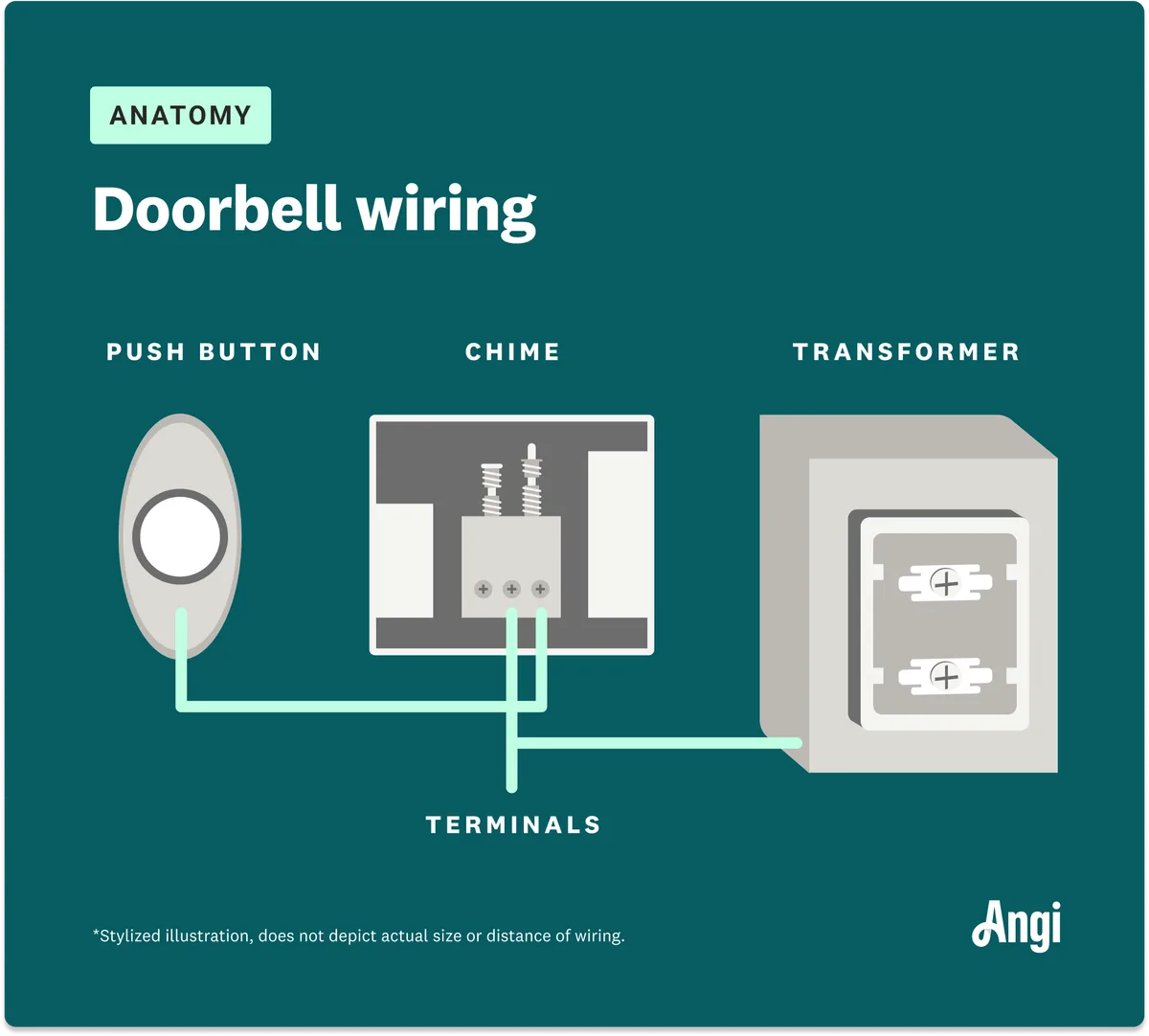
Image source: Web (Bing) / fity.club (Web image (fair-use with source credit))
Many homeowners rely on their video doorbells for an added layer of security and convenience, but what happens when your internet connection goes down? You might be surprised to learn that not all video doorbells are rendered completely useless without Wi-Fi. Some still offer basic functionality, offering peace of mind even during an outage.
Our research into smart home devices indicates that the answer to "Can a video doorbell work without internet" depends heavily on its specific design and features. While remote viewing and app notifications will cease, core functions like ringing and local recording are often preserved. For instance, many battery-powered models, adhering to standards like those set by the FCC for wireless devices, are designed with offline capabilities in mind to ensure basic operation.
Quick Answer
Yes, some video doorbells can work without internet, but their functionality is severely limited. Basic chime alerts and local recording (if supported) may still operate, but you'll lose remote viewing, app notifications, and cloud storage access. Whether yours works offline depends entirely on its built-in features and how it's powered and configured.
Understanding What Your Video Doorbell Needs to Work
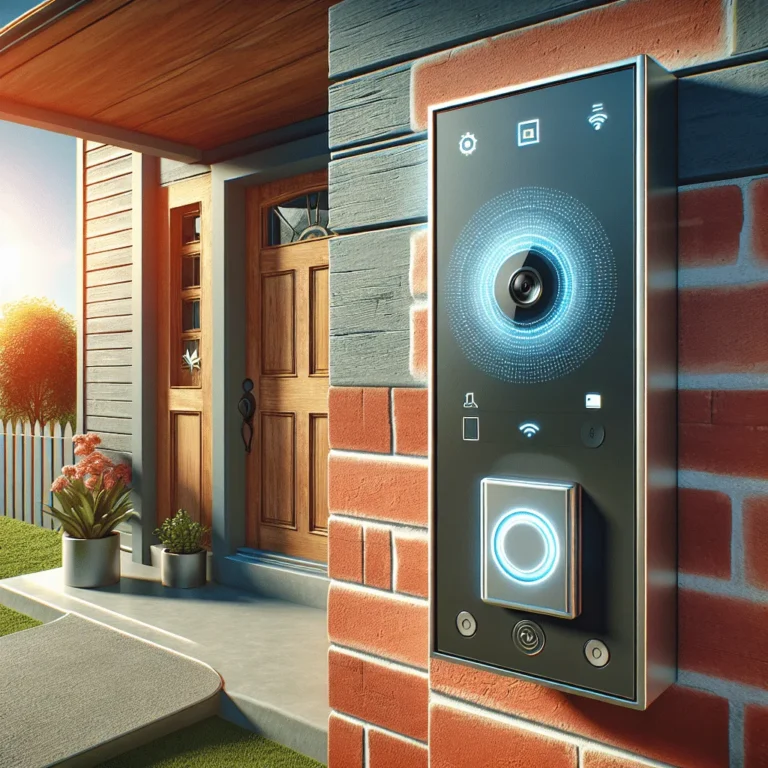
A video doorbell is essentially a smart security device that combines a traditional doorbell with a camera, microphone, and speaker. For it to offer its full suite of features, like live streaming video to your phone or two-way audio communication, it relies on a stable internet connection. This connection is crucial for transmitting data between the doorbell itself and the cloud servers or your smartphone app.
When your Wi-Fi is active, the doorbell captures video and audio, processes it, and then sends it over the internet. Your app on your phone or tablet acts as the receiver, displaying this information and allowing you to interact. Without that internet bridge, the flow of data is interrupted, fundamentally changing what the device can do.
The Role of Wi-Fi and Your Local Network
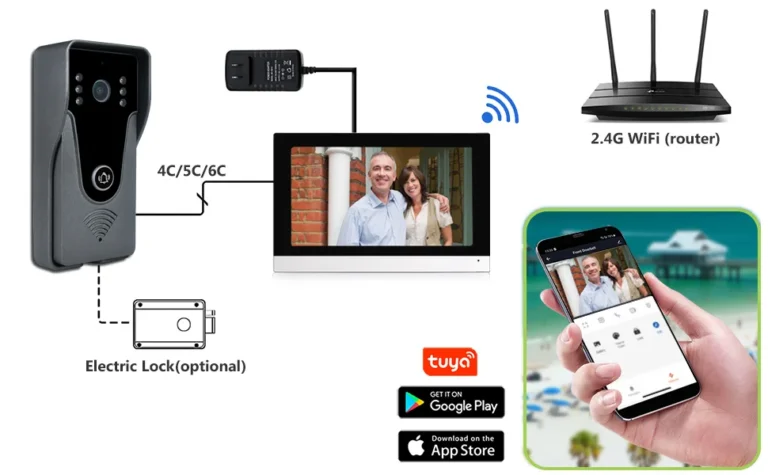
Your Wi-Fi network acts as the primary communication highway for your video doorbell. It connects the doorbell hardware to your home's router, which in turn is linked to the wider internet. This connection is what allows the doorbell to send live video feeds, motion alerts, and audio to your mobile device, no matter where you are.
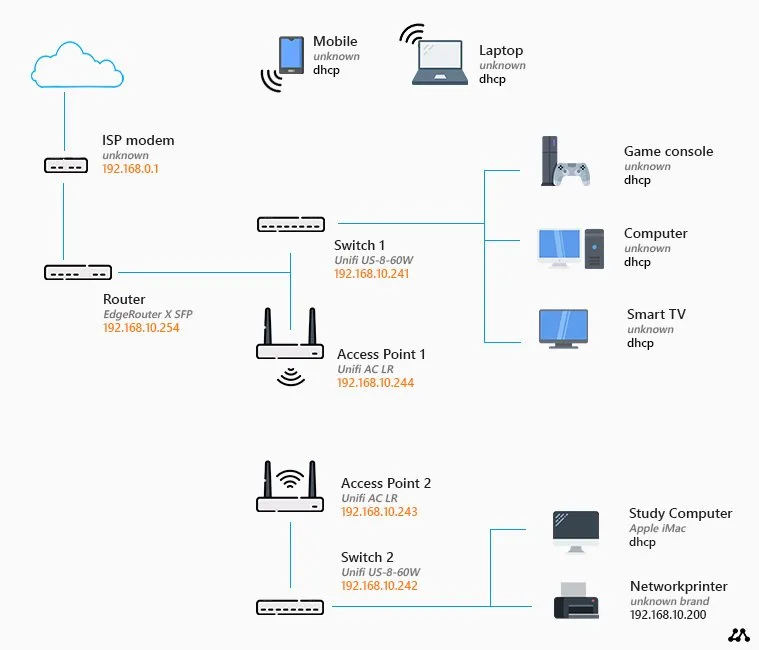
Image source: Bing (Web (fair-use with source credit))
If your internet service provider experiences an outage, or if your router malfunctions, your video doorbell loses its link to the outside world. Think of it like a phone call: if the phone line is cut, you can still talk to someone in the same room, but you can't call someone across town. The doorbell itself might still detect motion or have its button pressed, but it has no way to tell you about it remotely.
Beyond Live Streaming: What Features Still Work Offline?
This is where things get interesting, and the answer really depends on the specific model you have. If your internet connection drops, you'll definitely lose remote access, that means no live view on your phone, no motion alerts pinging your pocket, and no ability to speak through the doorbell's speaker remotely.
However, some core functions might persist:
- Basic Chime Functionality: If your doorbell is wired to an indoor chime unit, or if it has an included wireless chime that pairs directly with the doorbell (not via Wi-Fi), you will likely still hear that familiar sound when someone presses the button. This is because the button press triggers a direct, local electrical signal or wireless pairing, bypassing the need for internet.
- Local Recording: Devices equipped with a microSD card slot or those that can connect to a local Network Video Recorder (NVR) can often continue to record footage even when offline. This is a critical feature for security, as it means you'll still capture events that happen at your door, even if you can't view them live or retrieve them until your internet is back online.
- Motion Detection (Limited): Some doorbells might still detect motion using their built-in sensors. However, without an internet connection, these detections usually won't trigger any notifications or alerts that you can see remotely. The sensor might trigger a local recording if the device supports it, but that's usually the extent of it.
Essentially, without internet, your video doorbell might revert to acting more like a traditional doorbell with a basic recording function, rather than a fully connected smart device.
When Internet is Out: Your Video Doorbell's Workflow
Let's break down how different types of video doorbells behave when your home's internet connection is down. This isn't a one-size-fits-all answer, as manufacturers equip their devices with varying degrees of offline capability. Understanding these differences can help you manage expectations and know what to do if your Wi-Fi goes out.
The primary distinction often comes down to power source and storage capabilities. A device that's always powered and has a place to save footage locally is far more likely to offer some utility without an active internet connection than a purely battery-powered, cloud-dependent model.
Scenario 1: Battery-Powered Doorbell, No Wi-Fi
If you have a battery-powered video doorbell and your internet goes out, expect the most significant reduction in functionality. These devices are engineered for ease of installation, often meaning they rely heavily on cloud services for processing and storage.
- Button Press: When someone presses the doorbell button, the device might still send a signal to a paired indoor chime if it's a direct wireless connection. However, many battery models use a chime that connects via Wi-Fi, so this may also fail.
- Motion Detection: Motion detection may still occur, but without internet, there's no way for the device to send you an alert or save the footage to the cloud.
- Live View/Notifications: These features are completely unavailable. Your smartphone app won't be able to connect to the doorbell.
- Recording: Unless the specific model has a microSD card slot for local storage, any recording capabilities are usually tied to the cloud and will therefore cease.
In short, a battery-powered doorbell without internet often becomes little more than a decorative button. It's crucial to check your device's specifications for any mention of offline functionality or local storage support.
Scenario 2: Wired Doorbell, No Wi-Fi
Wired video doorbells, which draw power directly from your home's electrical system, often offer more robust offline capabilities. Their constant power supply allows for more continuous operation and potentially more sophisticated local processing.
- Button Press: A wired doorbell is highly likely to still ring your existing indoor chime if it's connected. This is a direct electrical connection that doesn't require internet.
- Motion Detection: Similar to battery models, motion detection might still happen locally. However, the absence of internet means no push notifications will reach your phone.
- Live View/Notifications: Remote viewing and app alerts are, as expected, unavailable. The device cannot send data out without an internet connection.
- Recording: This is where wired models can shine. If the doorbell has a built-in microSD card slot, it can continue to record footage locally when offline. This is a significant advantage for security, ensuring you don't miss events.
The key takeaway here is that wired power provides a more stable foundation for offline features, especially recording.
Scenario 3: Doorbell with Local Storage, No Wi-Fi
This scenario is the most promising for retaining some level of functionality during an internet outage. A video doorbell equipped with local storage, typically via a microSD card slot, can act as a standalone surveillance device to a degree.
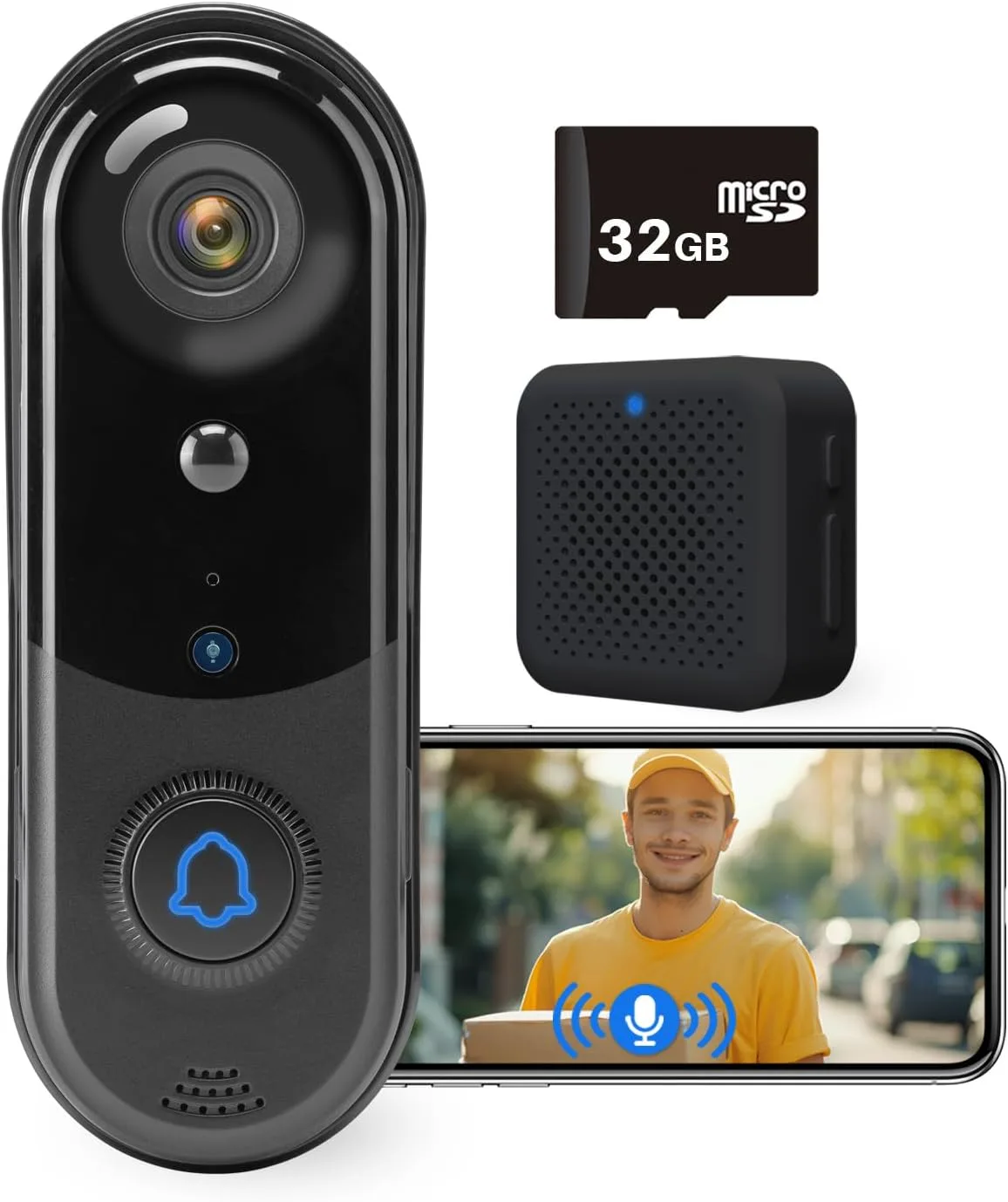
Image source: amazon.co.uk (Web image (fair-use with source credit))
- Button Press: The doorbell button will likely still trigger a local chime if one is paired, and it will initiate a recording.
- Motion Detection: Motion events will be detected, and the device will record them to the microSD card.
- Live View/Notifications: These require an internet connection and will not work. You cannot see what's happening in real-time from your phone.
- Accessing Recordings: The crucial point here is how you access these local recordings. When the internet is down, you cannot access them remotely via the cloud. You'll need to be physically present at your home to remove the microSD card and view the footage on a computer or another device. Some advanced systems might allow local network access to the recordings if your home network is still functional (router is on, but no internet) via an NVR or a specific app setting, but this is less common for standard video doorbells.
For users concerned about losing security footage during internet outages, a doorbell with a microSD card slot is the most practical choice.
Step-by-Step Process: Getting Your Doorbell to Work Offline
If you're counting on your video doorbell to offer some function during an internet outage, the setup and configuration steps are critical. It’s not just about plugging it in; certain features need to be intentionally enabled or confirmed before you lose your connection.
The primary process involves ensuring any local storage is properly set up and that the device is correctly powered. If your doorbell requires an initial online registration, you’ll need to complete that step while your internet is active. After that, it's about checking the settings for offline capabilities.
Ensuring Local Storage is Ready
For doorbells with microSD card slots, the first step is to insert a compatible card and ensure it's recognized by the device. Check your doorbell’s specifications for the maximum supported SD card size, which can range from 32GB to 128GB or more, depending on the model. Format the card through the doorbell’s app if prompted.
This ensures the device has a place to store footage locally. Without a functional SD card or other local storage solution, the doorbell’s offline recording capability is nonexistent. Our research indicates that using a high-quality card rated for continuous recording can prevent errors and extend its lifespan.
Checking Power and Connectivity Settings
Confirm that your doorbell is securely powered, whether by battery or hardwiring. For battery models, ensure the battery is fully charged before an anticipated outage. For wired models, double-check the electrical connections.
Within the app, explore settings related to motion detection sensitivity and recording triggers. While you won't get alerts without internet, you can optimize these settings for when your internet is back online, ensuring the device is primed to capture events effectively. Some advanced models might even allow you to prioritize local recording over cloud uploads if both are technically possible.
Local Storage vs. Cloud: Key Differences for Offline Use
The way your video doorbell stores footage is the biggest differentiator when the internet goes out. Understanding this distinction is key to knowing what you'll actually get when your Wi-Fi is down.
Cloud Storage: Most modern video doorbells rely on cloud storage. When motion is detected or the doorbell is pressed, the footage is uploaded to remote servers operated by the manufacturer. This is convenient because you can access your recordings from anywhere via the app. However, without internet, this process completely stops. No new footage can be uploaded, and you cannot access past recordings stored in the cloud.
Local Storage (MicroSD Card): Some video doorbells include a slot for a microSD card. When your internet connection fails, the doorbell can continue to record events directly onto this card. This means that even if you can't see live video or receive alerts, you're still capturing evidence. The significant limitation is access: you typically can't retrieve these recordings remotely. You'll need to be physically present at your home to remove the microSD card and view the footage on a computer or another device.
Local Storage (NVR/DVR): A less common setup for doorbells, but still possible, is integration with a Network Video Recorder (NVR) or Digital Video Recorder (DVR). In this case, the doorbell sends its feed to a local recording device on your home network. If your router is functioning but the internet connection is down, you might still be able to access these recordings via your local network. However, this requires a more complex setup and is not standard for most consumer video doorbells.
For practical offline use, local storage via a microSD card is the most accessible feature, though it comes with the caveat of needing physical access to retrieve the recordings.
Common Hurdles and What to Watch Out For
When you're expecting your video doorbell to function offline, a few common issues can crop up. These aren't necessarily faults with the device but rather limitations of operating without internet.
- No Remote Alerts: This is the most obvious hurdle. Even if the doorbell records, you won't get a notification on your phone to let you know someone's at the door. You could miss important deliveries or unexpected visitors.
- Inability to View Live Feed: The "video" part of video doorbell often becomes unavailable. You can't check in on your porch remotely to see who's there, which defeats one of the primary purposes for many users.
- Accessing Recordings: As mentioned, if your doorbell records locally, you can't just pull up the footage on your phone from miles away. You need to be home to retrieve the microSD card, which can be inconvenient if an incident occurs while you're away.
- Firmware Updates: Many devices receive important security and feature updates over the internet. Without a connection, your doorbell won't get these updates, potentially leaving it vulnerable or missing out on new capabilities once your internet is restored.
- Setup Issues: Initial setup often requires an internet connection to register the device with the manufacturer's app. If your internet is out during setup, you might be stuck until it's back.
Being aware of these limitations helps set realistic expectations for how useful your video doorbell will be during an internet outage.
Who Needs an Internet-Free Video Doorbell?
While most video doorbell users prioritize constant connectivity, there are specific scenarios and user types where offline functionality, or at least the ability to operate with limited internet, is a significant advantage.
- Homes with Unreliable Internet: If you live in an area prone to frequent internet outages or have a spotty connection, a doorbell with robust local storage is crucial. This ensures you're not completely blind during those inevitable downtime periods.
- Renters: Some renters might prefer a battery-powered option. While these are often cloud-dependent, models with microSD card slots can still offer local recording, providing a security backup without needing permanent wiring or constant internet.
- Security-Conscious Users: Individuals who prioritize local data security and want to minimize reliance on cloud services may seek out doorbells that offer extensive local storage options. This gives them more control over their footage.
- Remote or Off-Grid Locations: For properties far from reliable internet infrastructure, a video doorbell that can function independently, at least for recording, is essential for basic monitoring.
If you're primarily looking for a device to deter porch pirates or want basic visual confirmation of who's at your door during an outage, focusing on local recording capabilities is key. Otherwise, a fully connected experience is likely what you're after.
Making the Right Choice for Your Home
Deciding whether a video doorbell that works without internet is right for you comes down to a few key considerations. It's not about choosing the "best" device overall, but the best fit for your specific needs and potential network frustrations.
Consider your current internet reliability. If you experience frequent outages, or if you live in a rural area where service can be spotty, a model with local storage capabilities is a wise investment. This ensures you maintain some level of security and recording, even when the digital world goes dark.
Conversely, if your internet is stable, the enhanced features of a fully connected doorbell, like instant remote alerts, live two-way talk, and seamless cloud access, will likely be more appealing. Always check the product specifications for explicit details on offline functionality before purchasing.