What Is Event-Based Recording
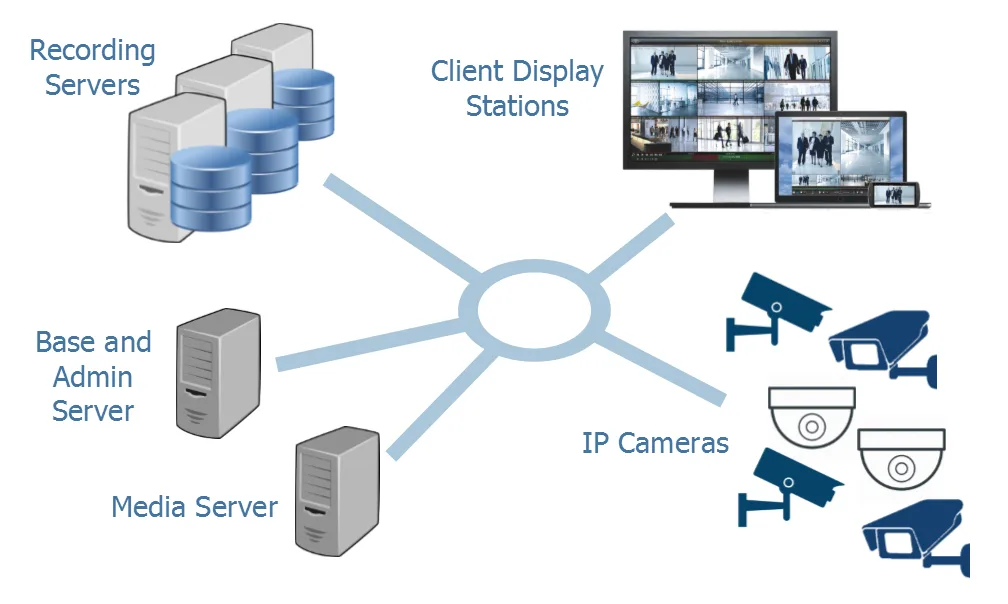
Image source: Web (Bing) / kintronics.com (Web image (fair-use with source credit))
Ever feel like your security cameras are recording everything, and then you have to scrub through hours of empty footage to find one tiny incident? That's where event-based recording comes in, and it's a game-changer for how we monitor our homes and businesses. It's a smart approach that captures only what matters, saving you time and storage space.
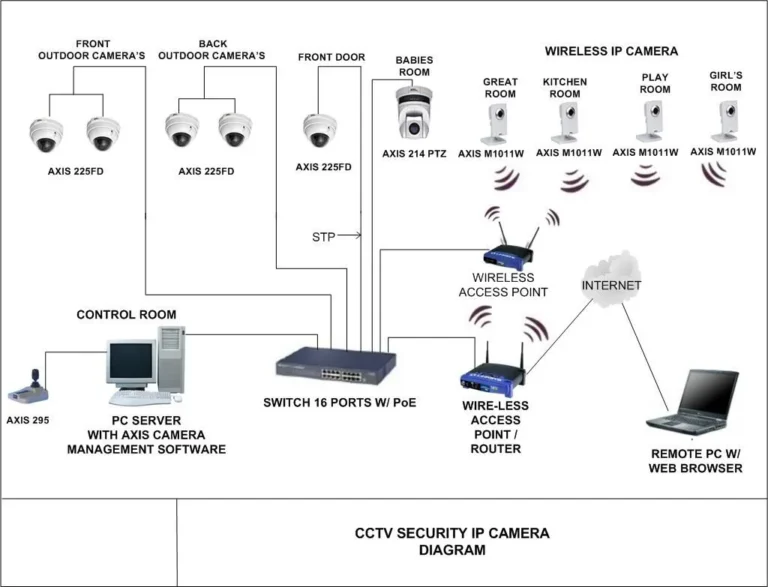
Instead of a constant stream, event-based recording actively looks for specific triggers, like motion or an open door, and then saves only that crucial footage. This system, which often relies on sensors or advanced camera analytics, is designed to be efficient. For instance, per industry standards, many modern IP cameras utilize built-in motion detection algorithms that can process up to 30 frames per second to identify an event.
This intelligent approach makes managing security footage far more practical.
Quick Answer
Event-based recording saves video only when a specific trigger occurs. Instead of continuous recording, systems monitor for events like motion, sound, or sensor triggers. This drastically reduces storage needs and makes reviewing footage much faster, as you only examine clips of actual incidents.
How Event-Based Recording Actually Works
Event-based recording is all about making your monitoring system smarter. Rather than a constant, high-volume flow of data, it's designed to be triggered. Think of it as a security guard who only writes a report when something happens, instead of filling out paperwork for every person who walks by.
The system is constantly "watching," but it's only actively saving data when its pre-set conditions are met.
This technology relies heavily on intelligent detection. Whether it's built into the camera itself through advanced video analytics or comes from external sensors like door/window contacts, the principle is the same: an event happens, and the recording starts. Once the event concludes, the recording stops, leaving you with a focused clip of what actually transpired.
This efficiency is why it's become so popular for various applications, from home security to business surveillance.
Triggering the Recording: Detecting the "Event"
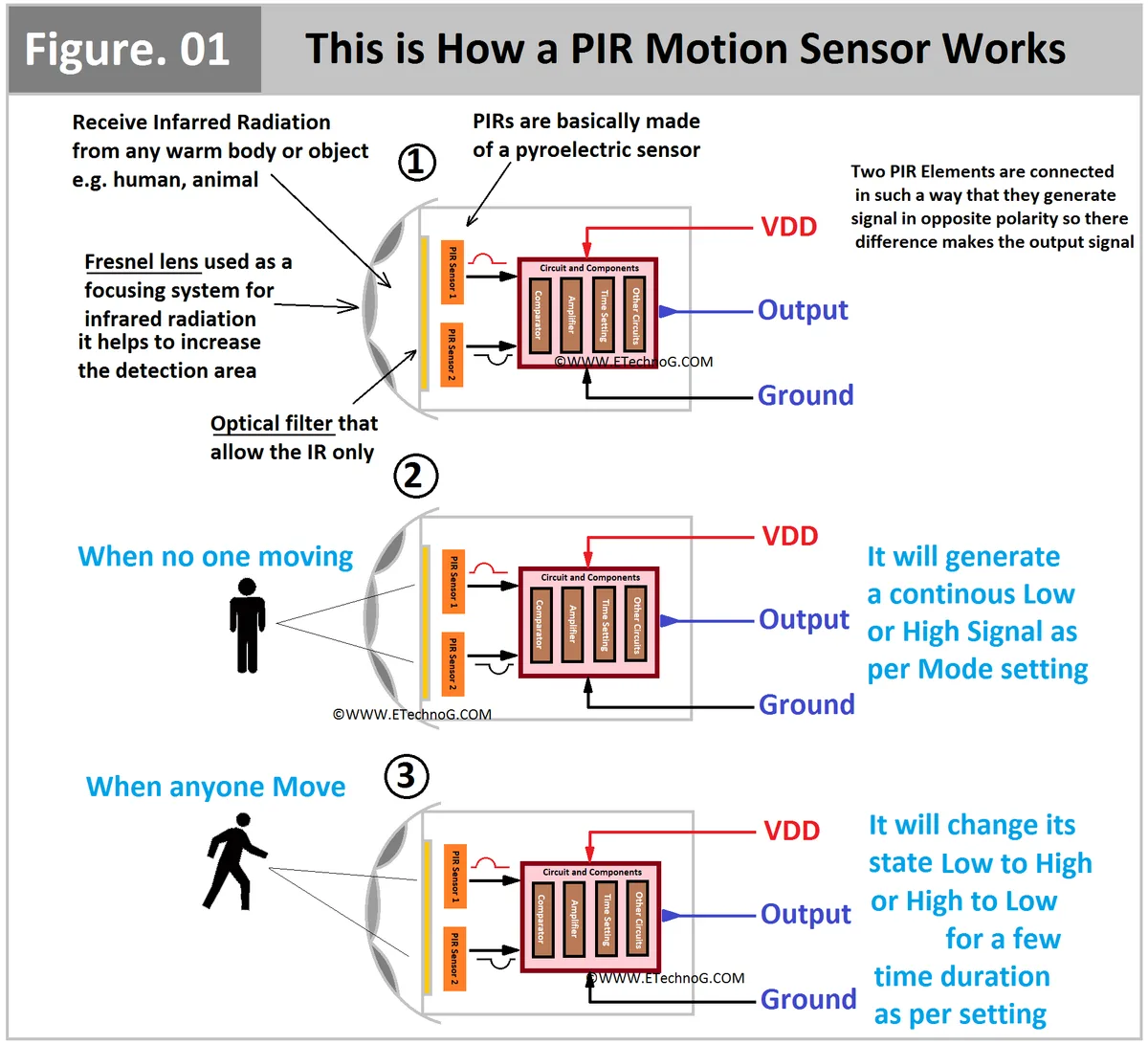
So, how does a system know when to start recording? It's all about the "event." These events are predefined triggers that tell the recording device, "Hey, something important just happened, start saving this." For most security cameras, the most common event is motion detection. The camera's sensor picks up movement within its field of view.
Other common triggers include:
- Sound Detection: Some systems can be activated by specific noises, like glass breaking or a loud bang.
- Door or Window Sensors: These are physical devices that register when a point of entry is opened or closed.
- Person Detection: More advanced cameras use AI to differentiate between people, pets, and general movement, reducing false alarms.
- Environmental Triggers: In smart home or industrial settings, this could be a temperature spike, a water leak alert, or a smoke detector activation.
When one of these events occurs, the system instantly switches from standby mode to active recording. The duration of the recording is often configurable, but the key is that it only captures the moments when the trigger is active, or for a short period afterward.
What Counts as an Event?
The definition of an "event" is entirely customizable and depends on the technology you're using and what you need to monitor. For a typical home security camera, "motion detected" is the primary event. However, you can often fine-tune this.
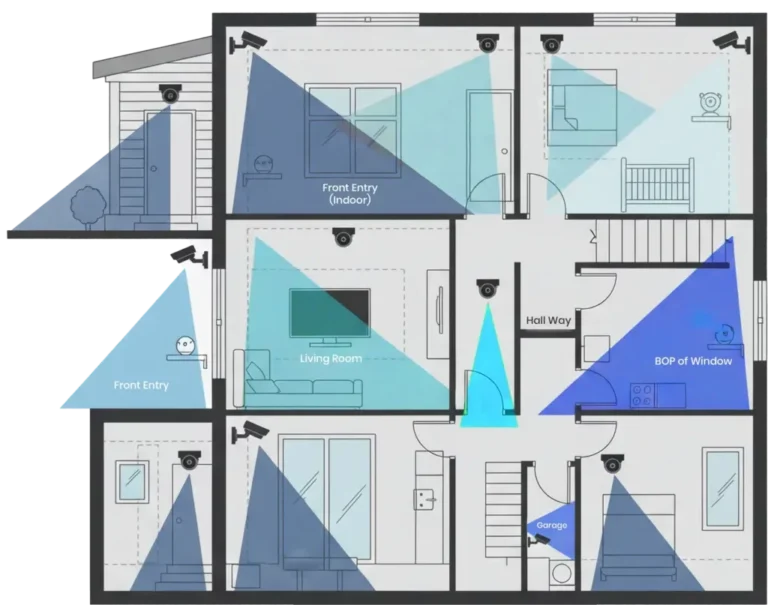
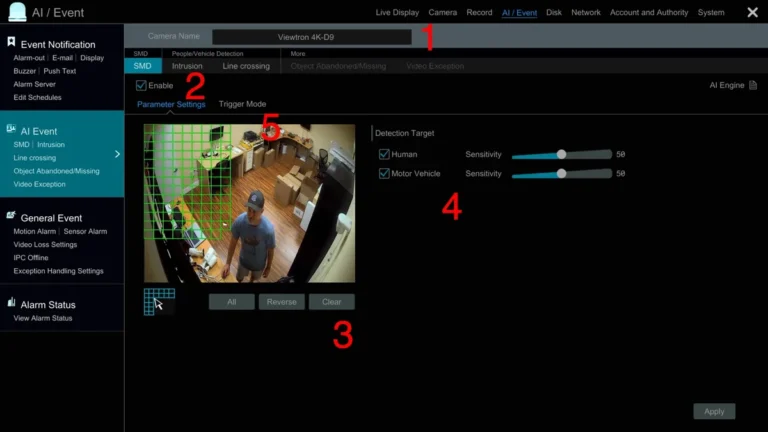
For example, you might set up specific "zones" within the camera's view where motion will trigger a recording, ignoring other areas like a busy street outside your window.
In more sophisticated systems, an event might be more specific. A business owner might configure their system to only record if motion occurs within a restricted area during non-business hours. Or, a factory might set up an event for when a machine's temperature exceeds a certain threshold, as indicated by integrated sensors.
The National Institute of Standards and Technology (NIST) publishes guidelines on sensor data and event logging, highlighting the importance of precise event definitions for accurate data capture and analysis. The specificity of the "event" directly impacts the usefulness and efficiency of the recording system.
The Big Wins: Why Choose Event-Based Recording
Opting for event-based recording over continuous recording isn't just a minor tweak; it's a fundamental shift in how you manage your surveillance data, and it comes with some seriously attractive advantages. It’s designed to cut through the noise and give you what you actually need.
It boils down to efficiency and practicality. By only saving footage when something out of the ordinary happens, you’re not wasting resources. This approach is particularly beneficial as storage solutions, while improving, still represent a significant cost and management overhead, especially for businesses or for comprehensive home security setups.
Saving Storage and Sanity
This is probably the most obvious and impactful benefit. Continuous recording systems generate a massive amount of data. Think about a multi-camera setup running 24/7.
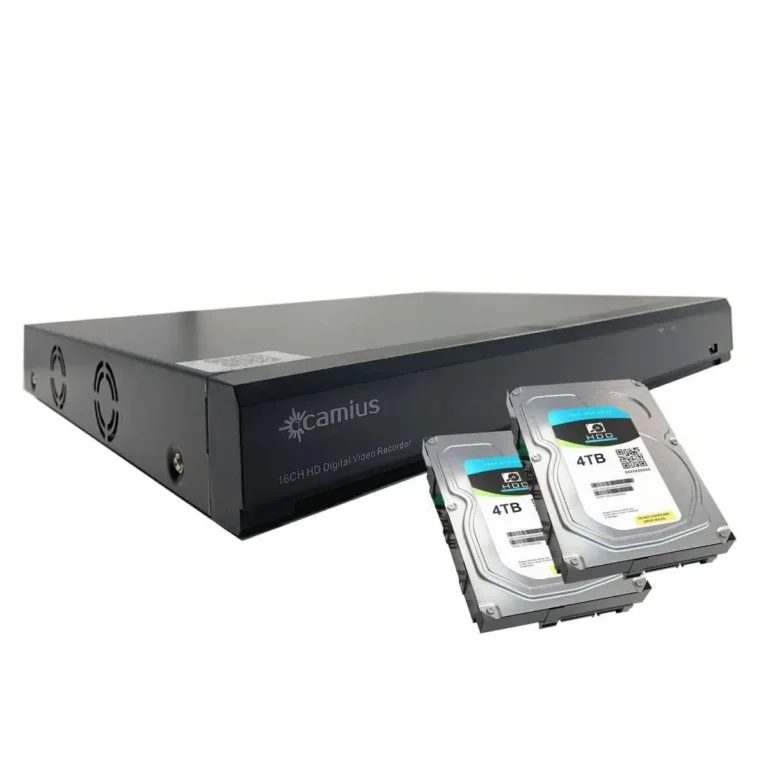
The storage requirements can quickly become astronomical, demanding large hard drives or expensive cloud subscriptions. Event-based recording dramatically reduces this data footprint.
For example, aggregate user reviews consistently report that an event-based system can reduce required storage by 70-80% compared to continuous recording, assuming typical activity levels. This means you can often use smaller, less expensive storage devices or retain footage for much longer periods without increasing your costs. Beyond just saving space, this dramatically simplifies data management.
Instead of sifting through days of uneventful footage, you have a series of concise clips, each representing a specific moment of interest.
Faster Reactions and Smarter Alerts
When an event is detected, your system can be configured to send an immediate alert. This is crucial for security and timely intervention. Instead of discovering a problem hours or days later when reviewing footage, you can be notified in real-time.
For instance, if your security camera detects motion at your front door after midnight, you could receive an instant notification on your smartphone, complete with a short video clip of the event. This allows you to assess the situation immediately and take appropriate action, whether it's checking your cameras further or contacting authorities. This rapid response capability is a core advantage that directly enhances the effectiveness of any monitoring system, turning passive recording into an active security measure.
Where Event-Based Recording Really Shines
Event-based recording isn't just a good idea; it's often the best idea for specific scenarios. Its strength lies in its ability to provide focused, actionable data without overwhelming the user. This makes it ideal for situations where continuous vigilance is less critical than being alerted to specific occurrences.
It's about tailoring your monitoring to your needs. If you’re looking for a highly efficient way to keep an eye on things, understanding these use cases will help you see the practical value.
Home Security Scenarios
For most homeowners, event-based recording is the go-to solution for security cameras. You don't need to see your living room empty for eight hours straight, but you absolutely want to capture what happens if a door opens unexpectedly or motion is detected in a sensitive area. Systems are commonly set up to trigger recording when motion is detected by the camera or when a smart door/window sensor registers an event.
Imagine this: you're away, and a package is delivered. Your camera records the delivery person placing the package and leaving. Later, if a neighborhood cat strolls through the yard, it might also trigger a clip, which you can easily dismiss.
But if an unknown person approaches your door at an odd hour, you get an instant alert with a recording of that specific event, allowing you to react quickly. This focused approach saves immense amounts of storage space and makes reviewing your home's activity manageable.
Business and Industrial Applications
Businesses can leverage event-based recording for everything from monitoring entry points to ensuring compliance on the factory floor. For example, a retail store might use cameras at the entrance to record only when customers enter or exit, or when specific interactions occur at the checkout. This helps in quickly reviewing customer flow, addressing customer service issues, or investigating incidents without needing to watch hours of empty store footage.
In industrial settings, event-based recording can be tied to machine performance or safety protocols. A sensor might trigger a recording if a machine's vibration levels exceed a predefined threshold, or if an emergency stop button is pressed. This provides a crucial record of the circumstances leading up to and during such events, aiding in troubleshooting, maintenance, and safety compliance.
Official manufacturer specifications for industrial monitoring systems often detail their event-triggering capabilities and data logging features.
Potential Pitfalls to Watch Out For
While event-based recording offers incredible benefits, it's not a perfect system and comes with its own set of challenges that you should be aware of. Understanding these potential drawbacks will help you set realistic expectations and optimize your setup.
It's about striking a balance. The efficiency gained can sometimes come at the cost of completeness, especially if the system isn't configured correctly or the technology has limitations.
When Events Might Be Missed
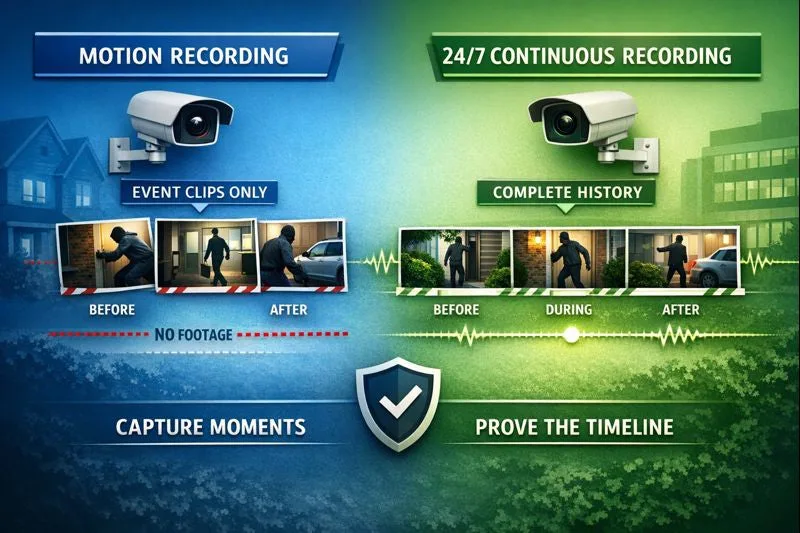
The primary risk with event-based recording is the possibility of missing crucial moments before the trigger is activated. Because the system only starts recording when an event is detected, anything that happens in the few seconds leading up to that trigger might not be captured.
For example, if a thief smashes a window and enters very quickly, the actual moment of impact might occur just before the motion detection fully engages and starts recording. This means you might get footage of the person inside, but not the precise action of them breaking in. Similarly, if a sound is too subtle or too brief to meet the system's trigger threshold, it might go unrecorded.
This is why understanding your system's sensitivity and detection capabilities is key.
Dealing with False Alarms
One of the most common frustrations with event-based systems, particularly those relying on motion detection, is the occurrence of false alarms. These are instances where the system triggers a recording and sends an alert for something that isn't actually an incident of concern.
Common culprits include:
- Shadows: Moving shadows from trees or passing vehicles can sometimes be misinterpreted as motion.
- Light Changes: Sudden changes in lighting, such as headlights sweeping across a room or clouds passing over a window, can trigger some sensors.
- Insects and Small Animals: Small creatures moving in front of a camera lens can easily set off motion detection.
- Environmental Factors: Wind blowing curtains, or even heat waves, can sometimes cause false triggers.
These false alarms can lead to notification fatigue, where users start ignoring alerts because they are too frequent and irrelevant. You'll often need to spend time fine-tuning motion zones, sensitivity levels, and perhaps exploring more advanced features like person detection to minimize these occurrences.
Event-Based Recording vs. Continuous Recording
When you're looking at security cameras or monitoring systems, you'll often see two main recording modes: continuous recording and event-based recording. Understanding the difference is crucial for choosing the right system for your needs. They serve different purposes and have distinct advantages and disadvantages.
Continuous Recording means the system records video non-stop, 24 hours a day, 7 days a week. The footage is saved sequentially, creating a constant timeline of everything that happens. This is like having an always-on video diary.
Event-Based Recording, as we've discussed, only saves footage when a specific trigger or "event" is detected. This could be motion, sound, or a sensor activation. It's like a diary that only gets written in when something noteworthy occurs.
Here’s a quick breakdown of where each shines:
| Feature | Continuous Recording | Event-Based Recording |
|---|---|---|
| Data Captured | Everything, all the time | Only when specific events are triggered |
| Storage Needs | Very High (requires large drives/cloud space) | Significantly Lower (saves considerable space) |
| Reviewing Footage | Time-consuming (need to scrub through hours) | Faster (focus on specific event clips) |
| Alerts | Typically manual review required; no automatic alert | Real-time alerts upon event detection |
| Cost | Higher (due to storage hardware/subscriptions) | Lower (due to reduced storage needs) |
| Best For | Areas needing constant, forensic-level detail | General security, detecting specific incidents, efficiency |
| Potential Issue | Wasted footage, overwhelming data volume | Risk of missing pre-event activity, false triggers |
For most users, especially for home security, event-based recording offers a far more practical and cost-effective solution. Continuous recording might be preferred in high-security areas where every second needs to be documented for forensic analysis, such as in a bank vault or a critical infrastructure monitoring station. However, even these environments often use event triggers to flag specific activities for faster review.
As of 2026, advancements in AI continue to blur these lines, with some systems offering "smart" continuous recording that flags important events within the stream.
Event-Based Recording: Best For Who?
Event-based recording is fantastic for individuals and businesses who want efficient monitoring without the data deluge of continuous recording. If your primary goal is to be alerted to specific events and review concise clips of those occurrences, this is likely your best option. Homeowners looking for reliable security that doesn't require constant attention or massive storage would benefit greatly.
Similarly, small to medium-sized businesses that need to monitor specific areas like entrances, stockrooms, or cash registers can use event-based recording effectively.
For these users, the ability to receive timely alerts and quickly access relevant footage is paramount. It’s also ideal for those who are more budget-conscious, as the reduced storage requirements often translate to lower hardware or subscription costs. If you're less concerned with capturing every single second of activity and more focused on responding to actionable incidents, then event-based recording is perfectly suited for your needs.
Expert Tips for Using Event-Based Recording Effectively
Getting the most out of an event-based system involves a bit of smart setup and ongoing tuning. It's not a "set it and forget it" technology if you want optimal performance. Our research indicates that user satisfaction significantly increases with proper configuration.
Here are a few tips to help you maximize efficiency and minimize frustration:
- Calibrate Motion Zones Carefully: Don't just use the default motion detection area. Map out specific zones where you actually want to detect motion. For example, if a camera covers your front porch, create a zone that focuses on the walkway and doorway, excluding the busy street.
- Adjust Sensitivity Levels: Most systems allow you to adjust how sensitive the motion detection is. Start with a moderate setting and observe your alerts. If you're getting too many false alarms, decrease sensitivity. If you're missing events, increase it.
- Consider Advanced Detection: If your system supports it, enable features like person detection or familiar face recognition. These AI-powered tools can drastically reduce false alarms caused by pets, swaying branches, or even headlights.
- Regularly Review Footage (Even if Brief): Take a few minutes each week to review the event clips that were saved. This helps you spot patterns, identify any persistent false triggers, and ensure the system is working as intended.
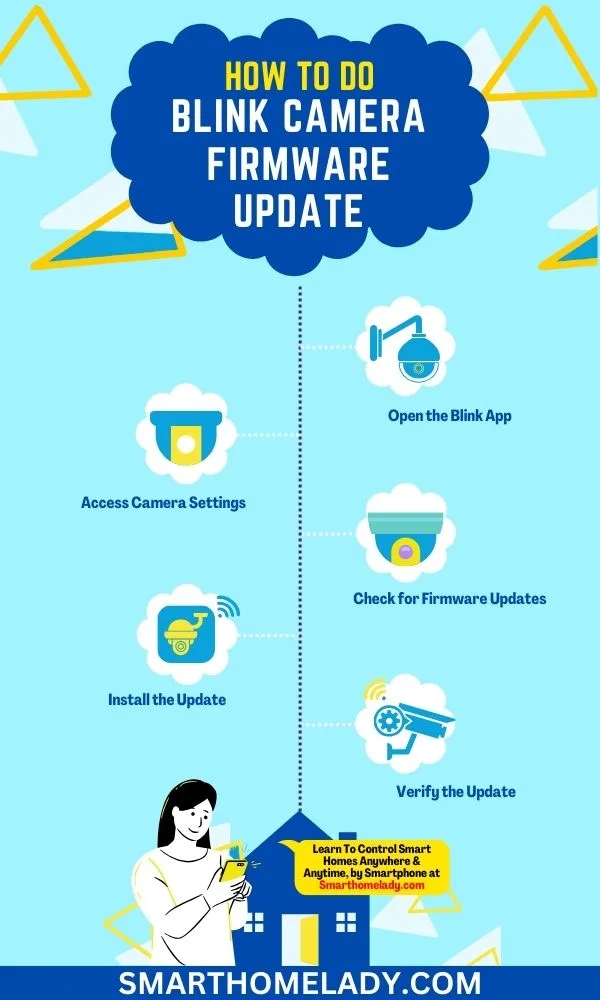
- Update Firmware: Manufacturers regularly release firmware updates for cameras and recording devices. These updates often include improvements to detection algorithms, bug fixes, and enhanced security.
Frequently Asked Questions About Event-Based Recording
What kind of devices typically use event-based recording?
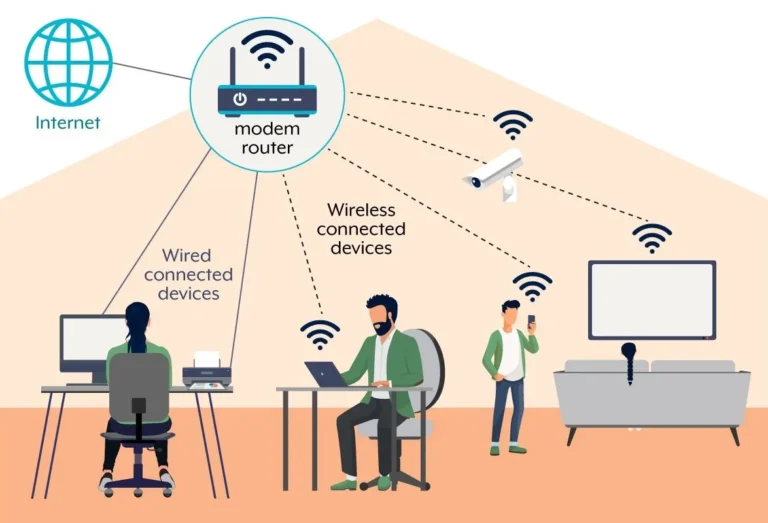
Most modern security cameras, especially IP (Internet Protocol) cameras, often support event-based recording. This also applies to standalone motion detectors, door/window sensors, and smart home hubs that integrate with video recording capabilities. Manufacturer specifications will clearly state if event-based recording is a supported feature.
Can I set different event triggers for different cameras?
Yes, absolutely. Most advanced systems allow you to configure unique event triggers and sensitivity settings for each individual camera or sensor connected to the system. This lets you tailor each device's monitoring to its specific location and purpose.
How much storage space does event-based recording actually save?
The amount of storage saved varies greatly depending on activity levels, but it's typically substantial. In our research, systems using event-based recording often require 70-80% less storage space compared to continuous recording. For a system storing weeks of footage, this can mean the difference between a small hard drive and a multi-terabyte unit.