How Does a CCTV DVR Work?
Ever wonder how those security cameras actually save all that footage? Understanding how a CCTV DVR works is key to setting up and managing an effective surveillance system. It's the central hub that makes sure your cameras are not just watching, but also recording and storing evidence.
This essential device acts like the brain of your surveillance network, processing video feeds and making them accessible when you need them most. Whether for home security or business, knowing the basic process behind video recording helps you troubleshoot issues and optimize your setup.
Quick Answer
A CCTV DVR works by receiving video signals from connected cameras, digitizing them if analog, compressing the data, and storing it on an internal hard drive. It then allows for real-time viewing and playback of recorded events. This process ensures that video evidence is captured and retrievable for security purposes.
The Big Picture: What Your DVR Actually Does
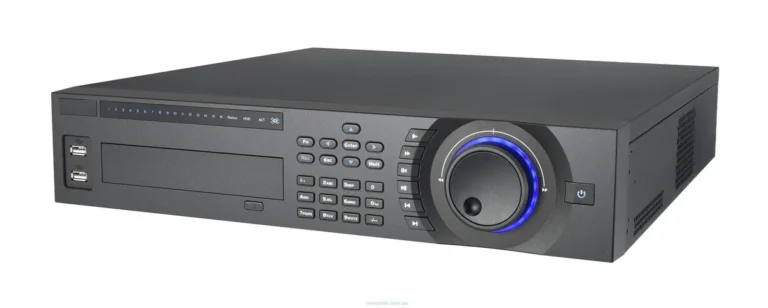
At its heart, a Digital Video Recorder (DVR) for Closed-Circuit Television (CCTV) systems is a specialized device designed to capture, store, and manage video streams from multiple security cameras. Think of it as the command center for your entire surveillance network. Its primary function is to take the continuous flow of images from each camera and transform it into a digital file that can be saved for later review.
This isn't just about saving data; it's about making that data accessible and usable. When an event occurs, or when you simply want to check in, the DVR is what allows you to see live feeds or rewind through recorded footage. Manufacturer specifications often highlight features like multi-channel recording, indicating the number of cameras it can simultaneously manage.
For example, a common specification might be an 8-channel DVR, meaning it can handle video input from up to eight different cameras.
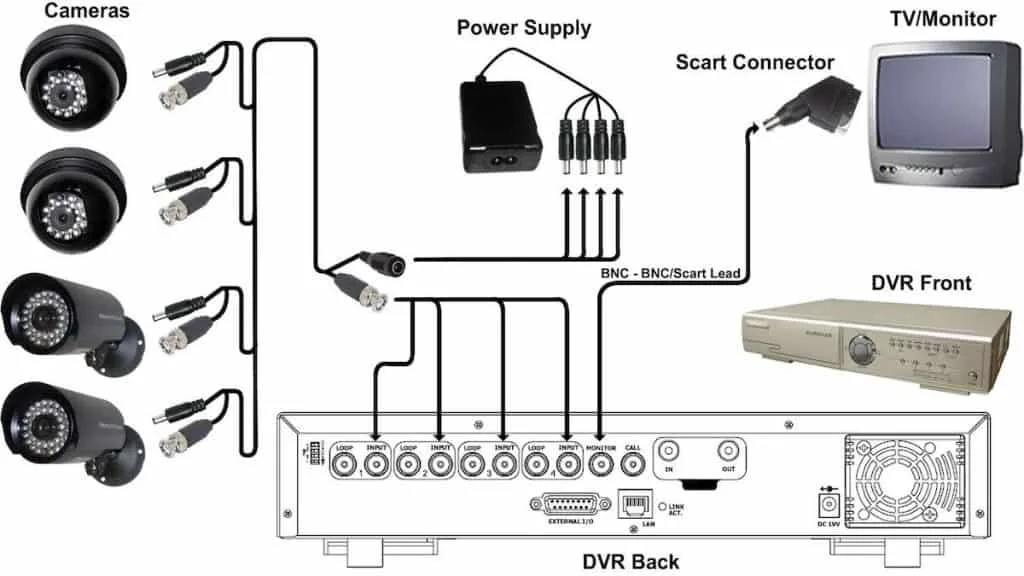
Image source: Bing (Web (fair-use with source credit))
Inside the DVR: Key Components and Their Roles
To do its job, a DVR is packed with several critical components, each playing a vital role in the video recording process. Understanding these parts helps demystify how the whole system functions. The main actors are the processor, the storage drive, and the various input/output connections.
- Processor: This is the brains of the operation. It handles all the heavy lifting: converting analog signals to digital (if applicable), compressing video to save space, managing the recording schedule, and preparing footage for live viewing or playback.
- Hard Drive (HDD): This is where all your precious video footage is stored. The size of the hard drive directly impacts how much video you can keep. Footage is typically recorded in a loop, meaning older recordings are overwritten once the drive is full.
- Video Input Ports: These are the connections where your cameras plug in. For analog CCTV systems, you'll see BNC connectors. For newer IP camera systems, these will be Ethernet ports.
- Video Output Ports: This is how you connect a monitor to view live feeds or access the DVR's interface. Common outputs include HDMI and VGA. An Ethernet port is also crucial for connecting the DVR to your network for remote access.
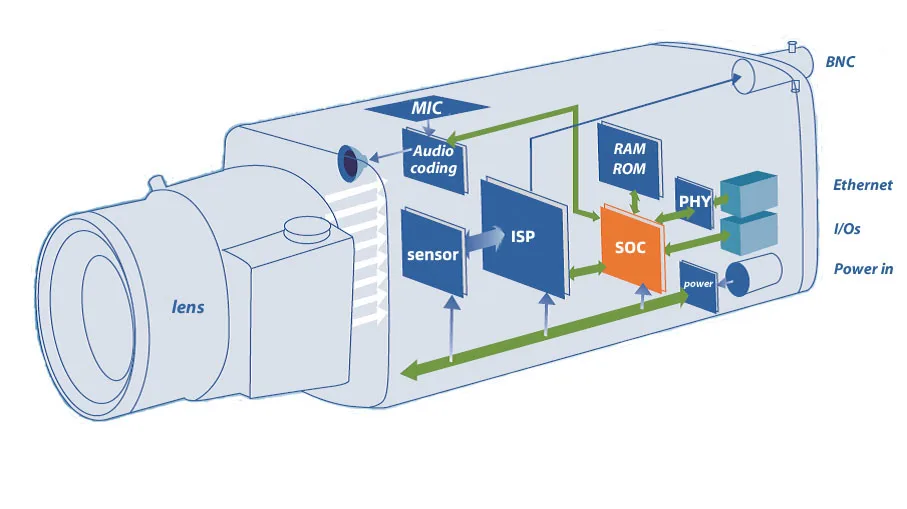
Image source: Bing (Web (fair-use with source credit))
The Journey of Video: From Camera to Storage and Back
The path video takes from your camera to being stored and viewable involves several key transformations. This process ensures that high-quality video can be efficiently managed and saved. It’s a continuous cycle that requires seamless interaction between your cameras and the DVR.
First, your cameras capture the visual information. If you're using older analog CCTV cameras, they send an analog signal over coaxial cables. This signal needs to be converted into a digital format that the DVR can understand and store.
This analog-to-digital conversion is a critical step performed by the DVR's internal processing unit.
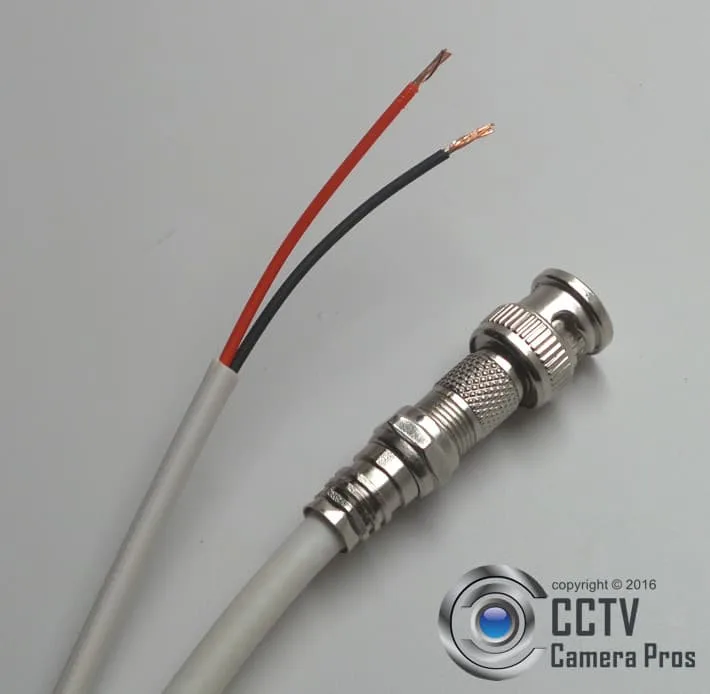
Image source: Web (Bing) / cctvcamerapros.com (Web image (fair-use with source credit))
Once the video is in a digital format, it’s usually compressed. Raw, uncompressed video files are enormous. The DVR employs sophisticated compression technologies, such as H.264 or the more efficient H.265, to reduce file sizes drastically without a significant loss in visual quality.
This compression is essential for maximizing the amount of footage you can store on the DVR's hard drive. Aggregated reviews from users indicate that H.265 compression can reduce file sizes by up to 50% compared to H.264, allowing for longer recording times or higher resolutions.
Seeing It Clearly: Live Viewing and Playback Capabilities
Beyond just recording, a DVR's ability to provide live viewing and facilitate easy playback is what makes it so valuable. This functionality allows you to monitor your property in real-time or review past events quickly and efficiently. The DVR interfaces with a monitor and network connection to make this possible.
When you connect a monitor to the DVR's output ports, you get to see live streams from all connected cameras simultaneously, or you can select individual cameras to view in full screen. This immediate visual access is crucial for ongoing surveillance. If you've ever experienced security camera video lag, you know how frustrating it can be; a well-functioning DVR minimizes this.
The DVR’s software allows you to configure how these live feeds are displayed, often in a grid layout or with customizable layouts.
Playback is where the DVR truly shines for investigative purposes. You can typically access a playback menu through the DVR's interface, which allows you to select a specific camera, date, and time range. Advanced DVRs might even offer features like searching for events based on motion detection, significantly narrowing down the time you need to spend reviewing footage.
This feature is incredibly useful if you’re trying to pinpoint when a specific incident occurred. For instance, if you need to retrieve footage from a particular day, you can navigate directly to that date and time. Should you need to save specific clips, you can explore how to save security camera footage.
Making the Choice: DVR vs. NVR and Other Alternatives
When you're looking into video recording solutions, it's easy to get confused between different types of systems. The most common comparison is between a DVR and an NVR (Network Video Recorder). While both serve a similar ultimate purpose, recording video, they achieve it using fundamentally different technologies and camera types.
- DVR (Digital Video Recorder): These are designed for analog CCTV cameras. They receive analog video signals directly from the cameras via coaxial cables. The DVR then digitizes, compresses, and records these signals. This means the processing power for video conversion and compression happens inside the DVR unit itself. If you have older analog cameras, a DVR is likely your go-to solution.
- NVR (Network Video Recorder): NVRs work with IP cameras, which are digital cameras that communicate over a network (like your home or business's Ethernet or WiFi). The IP cameras handle their own compression and send digital video data over the network directly to the NVR. The NVR's primary role then becomes receiving, decompressing (if needed), and storing this digital data. This setup offers more flexibility in camera placement as it relies on network infrastructure.
Choosing between them often depends on your existing infrastructure and camera types. If you already have analog cameras installed, upgrading to a DVR is often more cost-effective than replacing all your cameras with IP models to use an NVR. However, NVR systems generally offer higher resolutions and more advanced features due to the digital nature of IP cameras.
For a basic setup with analog cameras, a DVR is the standard choice. If you're experiencing issues with your current system, you might want to look into how to reset a security camera or how to update security camera firmware.