What Is the Difference Between DVR and NVR?
When you're looking into security camera systems, you'll quickly run into two acronyms that sound pretty similar: DVR and NVR. Figuring out what is the difference between DVR and NVR is key to setting up a system that actually fits your needs. They both record video, but they work with different cameras and have distinct ways of processing that footage.
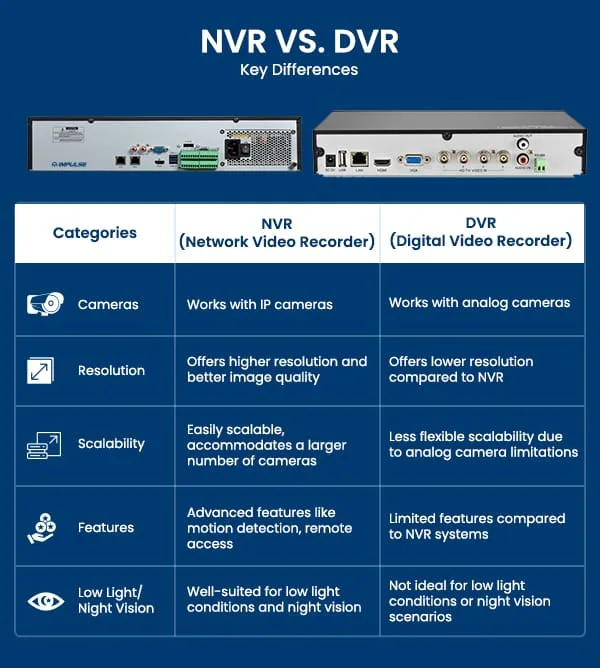
Image source: Web (Bing) / impulsecctv.com (Web image (fair-use with source credit))
Choosing the right one depends on your budget, desired video quality, and how you want to set things up. For instance, manufacturer specifications often show IP cameras used with NVRs supporting resolutions up to 4K, while older analog cameras with DVRs might top out around 1080p. Let's dive into what makes them tick.
Quick Answer
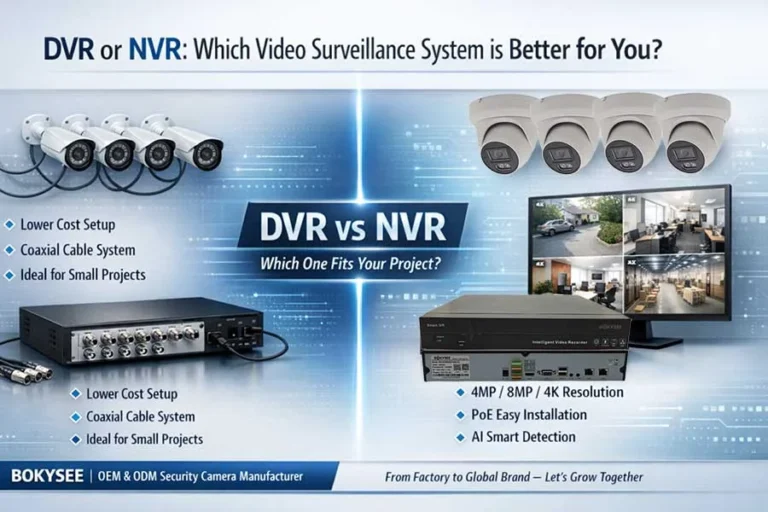
DVR systems connect analog cameras directly to the recorder, which digitizes the video. NVR systems use IP cameras that send digital video over a network to the recorder. DVRs are often more budget-friendly and simpler for existing setups.
NVRs offer higher resolution, greater flexibility, and advanced features.
What's the Big Deal with DVR?
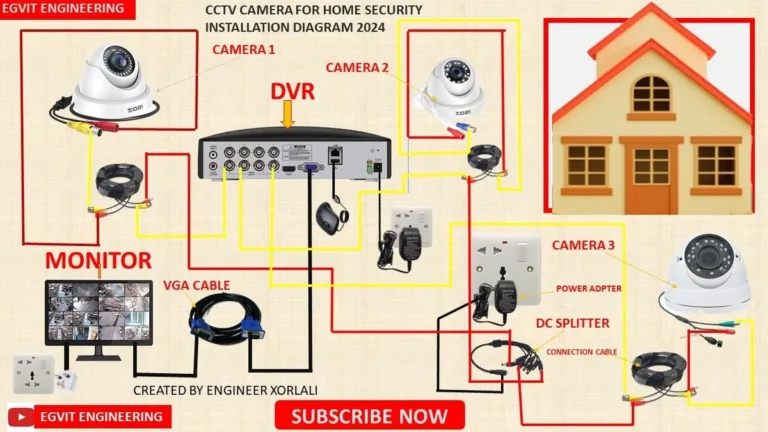
DVR stands for Digital Video Recorder, and its main characteristic is how the cameras connect. With a DVR system, each security camera has a dedicated coaxial cable that runs directly from the camera all the way back to the DVR unit itself. Think of the DVR as the central brain that receives an analog signal from each camera.
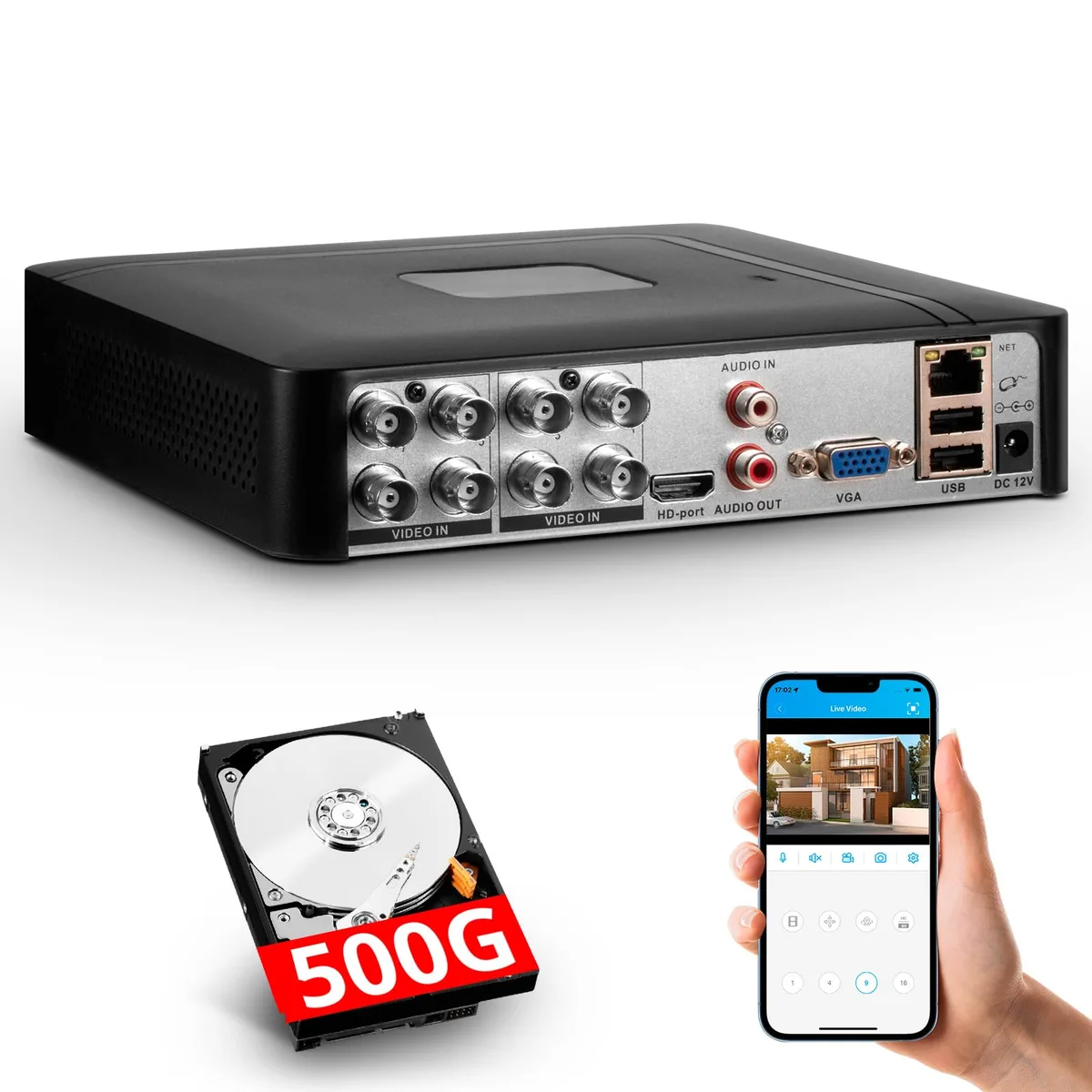
Image source: Web (Bing) / nellisauction.com (Web image (fair-use with source credit))
This analog signal is then digitized and compressed by the DVR before it's stored. This direct connection method means the DVR is actively involved in processing the video feed from every connected camera. It's a tried-and-true method, often favored for its straightforward setup over shorter distances and its potential for lower upfront costs compared to some NVR setups.
- Camera Type: Primarily uses analog cameras, though newer hybrid DVRs can also handle HD analog formats.
- Connection Method: Each camera requires a direct coaxial cable run to the DVR unit.
- Video Processing: The DVR unit itself handles the conversion of analog video signals to digital format and compression.
- Power: Cameras often require a separate power supply unless using a specialized power distribution system.
While DVRs have been around for a long time, their performance is often limited by the quality of the analog cameras and the processing power of the DVR itself. You might find that troubleshooting issues like video lag, which can occur with any security system, requires a different approach for DVRs compared to networked systems. You can learn more about how to fix security camera video lag at robinchestnut.com/how-to-fix-security-camera-video-lag/.
And What About NVR?
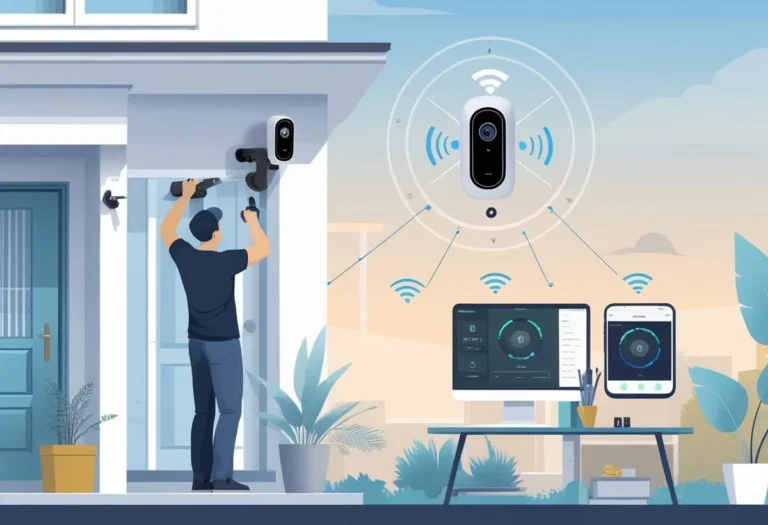
NVR stands for Network Video Recorder. The key difference here is that NVR systems use IP (Internet Protocol) cameras, which are essentially smart cameras that connect to your network, not directly to the recorder. Each IP camera sends its already digitized video stream over your local network, whether that's via Ethernet cables or Wi-Fi.
The NVR then acts as a network device, receiving and recording these digital streams.
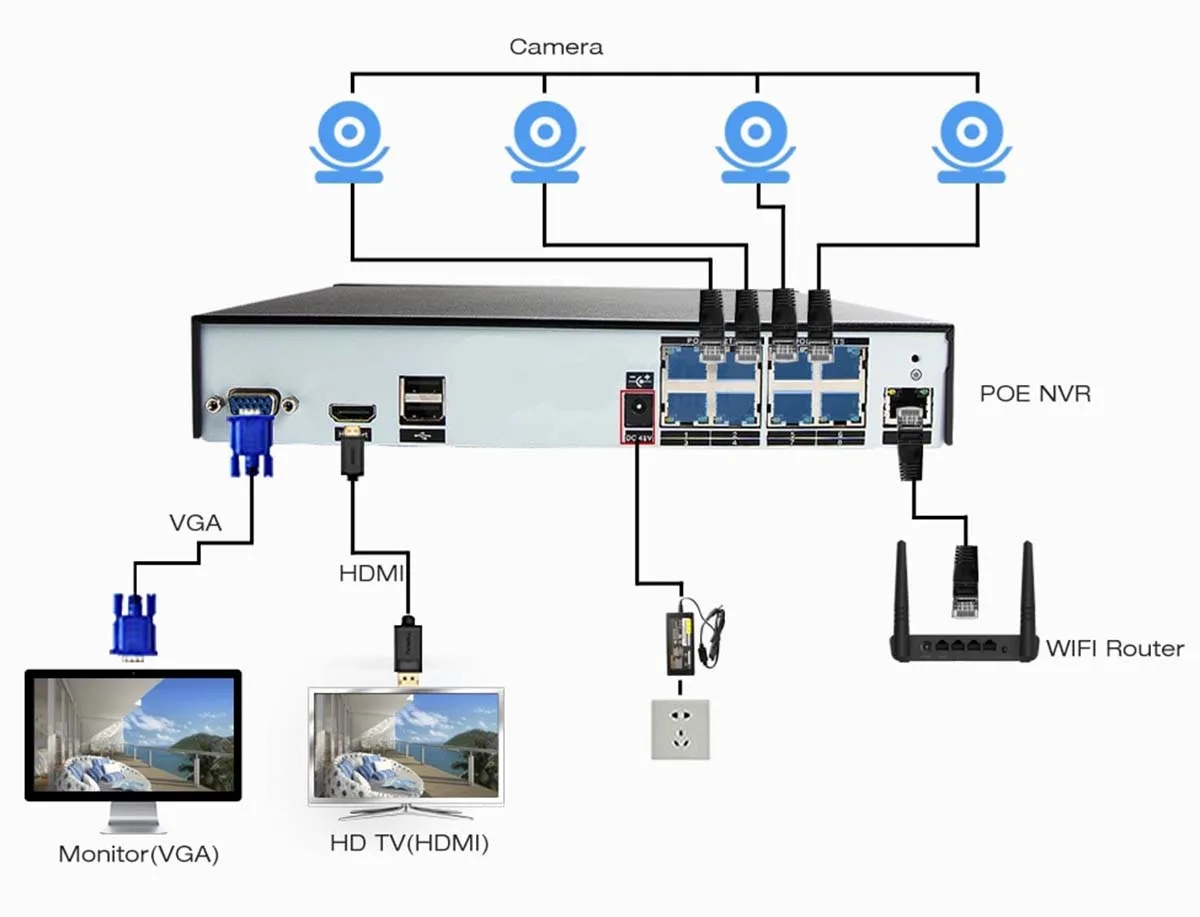
Image source: Web (Bing) / securitycamcenter.com (Web image (fair-use with source credit))
This network-based approach offers a lot more flexibility. You can place cameras further away from the NVR as long as they can connect to your network. Plus, many NVR systems, especially those with built-in Power over Ethernet (PoE) ports, can power the IP cameras and transmit data through a single Ethernet cable, simplifying installation.
Aggregate reviews report that this PoE capability significantly cuts down on wiring complexity for new installations.
- Camera Type: Uses IP cameras, which are digital and network-enabled.
- Connection Method: Cameras connect to your network (LAN/WAN), and the NVR accesses them via the network.
- Video Processing: Cameras digitize and compress their own video streams before sending them over the network.
- Power: Many NVRs offer PoE, allowing a single cable for both power and data to the cameras.
This digital, networked approach often allows for higher video resolutions and more advanced features directly within the cameras, such as advanced motion detection analytics. If you're experiencing issues with your WiFi signal impacting camera performance, understanding how to improve security camera WiFi signal is crucial for NVR systems: robinchestnut.com/how-to-improve-security-camera-wifi-signal/.
DVR vs. NVR: At a Glance
Here’s a table to help you see the core differences side-by-side. It really comes down to how the cameras talk to the recorder and what kind of cameras they are.
| Feature | DVR (Digital Video Recorder) | NVR (Network Video Recorder) |
|---|---|---|
| Camera Type | Analog (traditional or HD analog) | IP (Internet Protocol) cameras |
| Connection | Cameras connect directly to DVR via coaxial cables. | Cameras connect to your network (Ethernet or Wi-Fi). |
| Video Signal | Analog signal from camera, digitized by DVR. | Digital signal from camera, sent over network. |
| Installation | Simpler for short distances, cables run directly to DVR. | More flexible placement, uses existing network infrastructure. |
| Scalability | Limited by the number of ports on the DVR. | Easier to add more cameras if network has capacity. |
| Camera Quality | Generally lower resolution with traditional analog cameras. | Typically higher resolution and advanced features. |
| Power | Cameras need separate power supplies or power by cable (if supported). | PoE allows single cable for power and data (if supported). |
| Cost | Often more budget-friendly upfront. | Can be more expensive, especially for high-end IP cameras. |
If you're ever wondering why your security camera isn't detecting motion, the system type (DVR or NVR) and camera capabilities play a big role. This is a common issue many users face, and the solutions can differ based on your setup. You can find more on this at robinchestnut.com/why-is-my-security-camera-not-detecting-motion/.
When Might You Choose a DVR?
DVRs have been around for a while, and they're still a solid choice for specific situations, especially if you're looking to keep costs down or work with existing infrastructure. If your primary goal is basic surveillance without needing the absolute highest video clarity or the latest smart features, a DVR can be a very practical option. They are often more budget-friendly upfront than NVR systems, making them attractive for smaller installations or for individuals on a tighter budget.
Manufacturer specifications for traditional analog cameras used with DVRs typically indicate resolutions that might top out at 960H or 1080p HD analog formats. This is usually sufficient for general monitoring. If you're replacing an older system that already has coaxial cables run throughout your property, a DVR allows you to reuse those existing cables, saving you significant installation time and expense.
The setup can be more straightforward for a beginner if they only need to connect a few cameras relatively close to the recorder.
- Budget-Conscious: Generally offers a lower entry cost for the hardware.
- Existing Infrastructure: Ideal if coaxial cables are already in place.
- Simpler Needs: Suitable for basic monitoring where ultra-high resolution isn't critical.
- Direct Connection: Simpler wiring logic for systems with cameras located near the DVR.
However, if you find your DVR system is experiencing issues like video lag or a black screen, it might be a sign that the system is reaching its limitations, or that the analog signal is being degraded. You can explore common causes for this at robinchestnut.com/why-is-my-security-camera-showing-a-black-screen/.
When Might You Lean Towards an NVR?
NVRs represent a more modern approach to security surveillance, offering significant advantages in terms of image quality, flexibility, and advanced features. If crystal-clear footage is a priority, NVR systems shine. IP cameras used with NVRs commonly support resolutions of 1080p, 4K, and even higher, providing detailed images that are invaluable for identifying individuals or fine details.
This higher resolution is a key differentiator when comparing DVR and NVR.
The network-based architecture of NVR systems provides unparalleled flexibility. You can place cameras across a larger area, connecting them to your existing network infrastructure without being limited by the physical proximity to the recorder. This is particularly useful for larger homes or commercial properties.
Many NVRs also come equipped with Power over Ethernet (PoE) capabilities. As per IEEE 802.3af standards, PoE allows a single Ethernet cable to provide both data connectivity and electrical power to the IP camera, which greatly simplifies installation and reduces the need for separate power outlets near each camera.
- Superior Video Quality: Offers higher resolutions and sharper images through IP cameras.
- Placement Flexibility: Cameras can be located anywhere on the network, not just near the recorder.
- Simplified Wiring: PoE support reduces cable clutter and installation complexity.
- Advanced Camera Features: IP cameras often include built-in analytics like person detection.
If you're setting up a new system or looking to upgrade from an older analog setup, an NVR often provides a more future-proof solution. It's easier to scale by adding more IP cameras to your network as needed, provided your network can handle the increased bandwidth. You can learn more about reducing security camera bandwidth needs at robinchestnut.com/how-to-reduce-security-camera-bandwidth/.
Making the Call
Ultimately, the choice between a DVR and an NVR really boils down to what you're trying to achieve and what you're working with. If you're on a tight budget, have existing coaxial infrastructure, and just need basic recording, a DVR is a perfectly sensible choice. They've been reliable workhorses for years and continue to be a strong contender for simple security needs.
However, if you want the best possible video quality, more flexibility in camera placement, advanced features like smart alerts, and are setting up a new system, an NVR is likely the way to go. They offer a more modern and scalable solution. Both are great technologies that will help keep an eye on things.
Frequently Asked Questions
How long does setup take?
Setup time varies greatly, but DVR systems with direct camera connections might take 3-6 hours for a few cameras. NVR systems, especially with PoE, can sometimes be quicker for initial setup but may require more network configuration.
Can I mix DVR and NVR cameras?
Generally, no. DVR systems use analog cameras, while NVR systems use IP cameras. They use different signaling and connection methods, so you can't typically mix and match them within the same system without specialized converters.
What happens if my network goes down with an NVR?
If your network connectivity is interrupted, an NVR system may stop recording or providing remote access. However, if the NVR unit itself is connected directly to your router or has a local storage drive, it might continue recording locally depending on its configuration. This is a key difference from DVRs where camera feeds don't rely on an external network to reach the recorder.
Do I need a separate monitor for DVR or NVR?
Most DVR and NVR systems can be connected to a standard monitor or TV using an HDMI or VGA port for live viewing and playback. Some newer systems also offer robust mobile app support, allowing you to monitor footage directly from your smartphone or tablet without needing a dedicated monitor nearby all the time.
How long should security footage be kept?
How long security footage should be kept varies by location and personal needs. Some businesses might need to retain footage for 30 days or longer due to legal requirements, while homeowners might find 7-14 days sufficient. Always check local regulations or organizational policies on data retention.
You can find more on this topic at robinchestnut.com/how-long-should-security-footage-be-kept/.